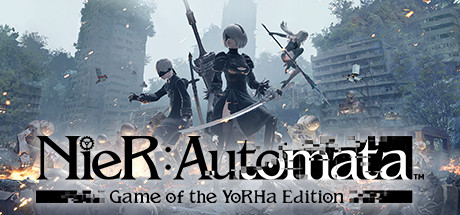
Plug-in chips make NieR:Automata's interface part of its world
Plug-in chips make NieR:Automata’s combat abilities and HUD compete for limited storage capacity. Learn how to balance effects such as Weapon Attack Up, Shock Wave, and Auto-Heal against the information you need on screen, while keeping the essential OS Chip installed.
Coverage: General plug-in chip and HUD concepts, including why the OS Chip must remain installed; no ending or late-story revelations.
Capacity is a real combat budget
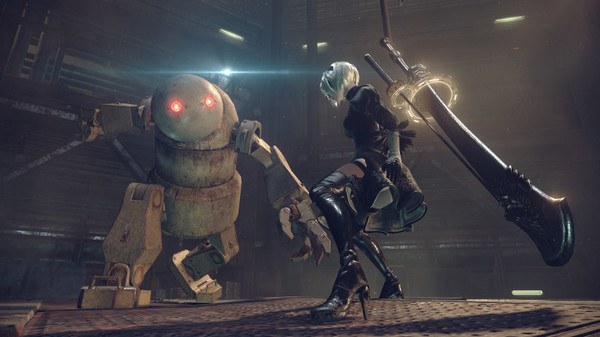
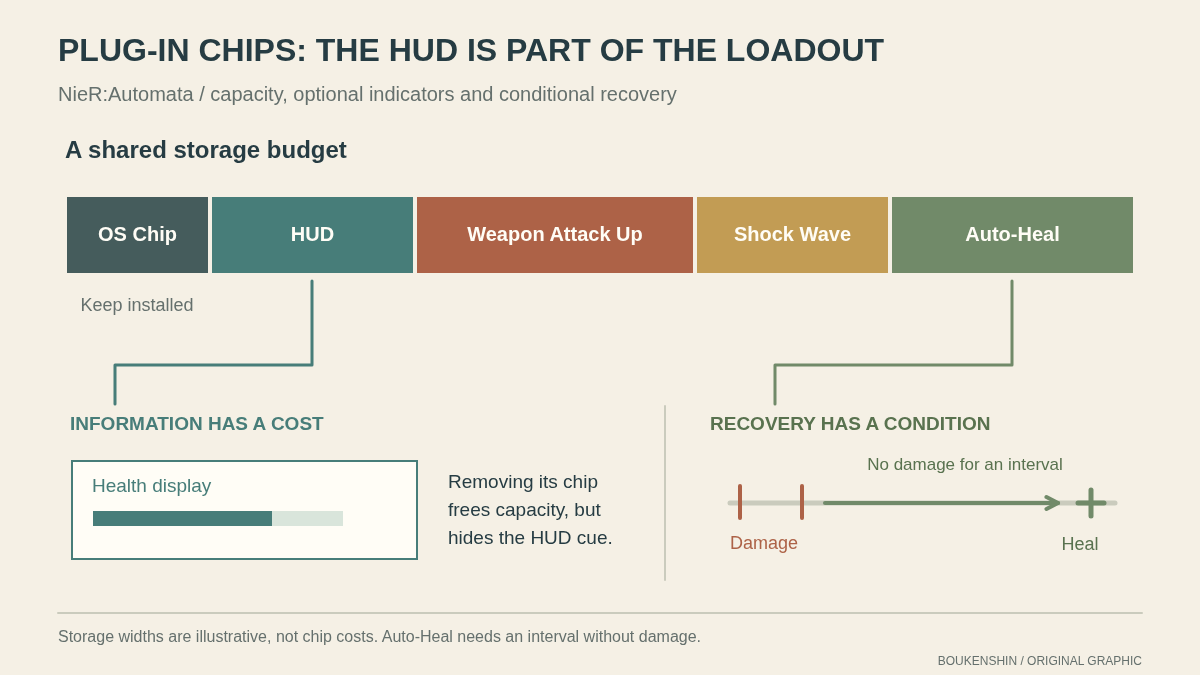
NieR:Automata gives 2B and 9S a limited amount of storage capacity for plug-in chips. Combat effects use that space, and copies of the same effect can have different storage costs. So when you compare two Weapon Attack Up chips, the question is not only which one gives the effect you want, but how much of your capacity each copy leaves available for other choices. The game does not reduce this to a universal best loadout: a chip that fits neatly beside your other priorities can be more useful to you than a costly copy of a familiar effect.
Treat capacity as a budget for the problems you actually face. If your damage feels insufficient, Weapon Attack Up may deserve space; if nearby enemies are hard to manage, Shock Wave offers a different kind of combat support. Choosing more room for an offensive effect means giving up room that could go to defense, recovery, or interface information. For example, a player who relies on frequent attacks might favor a cheaper Weapon Attack Up copy and keep capacity for another function. Someone who wants a stronger focus on damage can accept less room elsewhere. Each choice has a concrete cost, so compare chips by both effect and storage.
The HUD uses chips too
The HUD is not a separate layer that stays untouched while you tune combat. Its components are chips as well, so displaying useful indicators takes capacity that could otherwise go to combat effects. That makes the screen part of your loadout: an indicator you keep can help you read the fight, but it occupies space, while removing it frees capacity at the cost of seeing that information on the HUD. A cleaner screen does not automatically provide better information. If an indicator helps you make a decision, removing it can make the fight harder to read even when it allows another chip to fit.
Make HUD choices around what you need to notice during play. If you often lose track of 2B’s health in a crowded encounter, keep the health display and consider changing a combat chip instead. If a particular indicator is not helping you act, removing its chip can free capacity for a combat effect, but you are choosing to play without that cue. The tradeoff is straightforward: more room for one function means less room for another, and less visible information means fewer on-screen reminders. Adjust one part of the arrangement at a time so you can tell what changed in your own reading of combat.
Match support chips to their conditions
Chip effects also differ in how they help. Weapon Attack Up supports damage, while Shock Wave adds an effect associated with attacks. Auto-Heal is recovery support, but it is conditional: it requires an interval without taking damage. It does not restore health unconditionally on every hit. That distinction matters when you decide whether its capacity cost suits your play. If you are taking frequent hits, you may not get the recovery you expect; if you can create breaks in incoming damage, the chip’s condition can be met.
Consider a hypothetical stretch in which you are repeatedly hit while trying to stay close to enemies. Equipping Auto-Heal alone does not solve that pressure, because each hit interrupts the damage-free interval it needs. You could instead give capacity to a combat effect that helps you handle enemies, or keep Auto-Heal while changing how you approach the encounter so that you have chances to avoid damage. Those choices have different tradeoffs: the first spends storage on immediate combat support; the second retains recovery that only activates when its condition is met. Read an effect’s behavior before building around it, and weigh it against the HUD cues and other chips you rely on.
Keep the OS Chip installed
The OS Chip is essential to the system, so keep it installed. It is not an ordinary combat enhancement or an expendable HUD component to remove when capacity feels tight. When reviewing your loadout, make capacity decisions among the optional effects and HUD components instead. That gives you room to experiment with Weapon Attack Up, Shock Wave, Auto-Heal, and the information you want displayed without treating a foundational chip as interchangeable with them.
A practical review starts with the question you want your loadout to answer. If you want more damage, look at the storage costs of your offensive options and decide which display or other effect you can give up, if any. If you want better awareness, preserve the indicators that help you read health or the fight and reconsider a less useful combat chip. If you want recovery, remember Auto-Heal needs time without damage. These are different priorities, and the limited capacity makes their costs visible. Keeping the OS Chip installed anchors those choices while leaving the rest of the loadout flexible.
Primary work & further reading
Primary work: NieR:Automata. Character and story readings are editorial interpretations. The publisher reference below identifies the work and its premise.